
Nikon Z50II review – is it a good content creator camera?
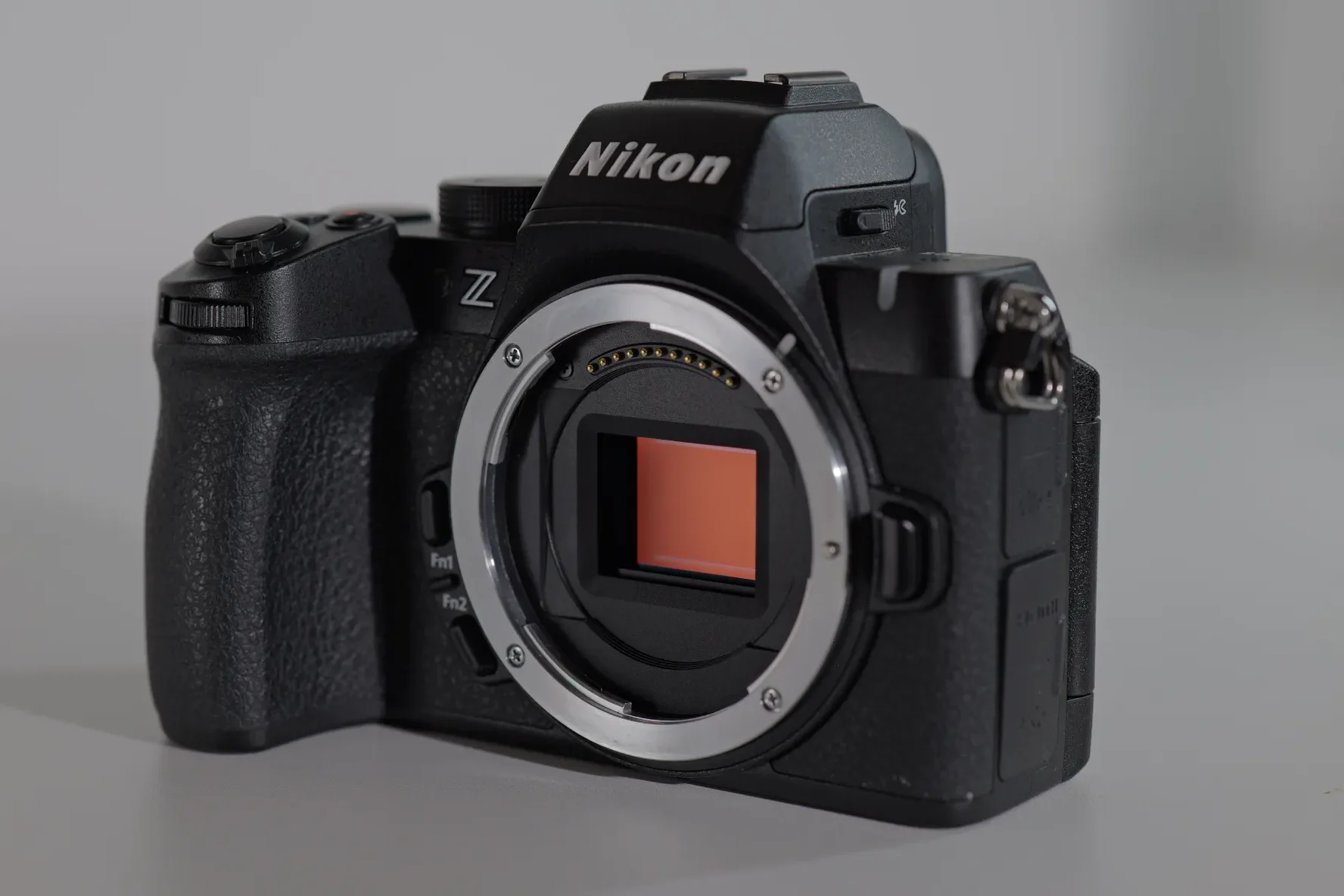
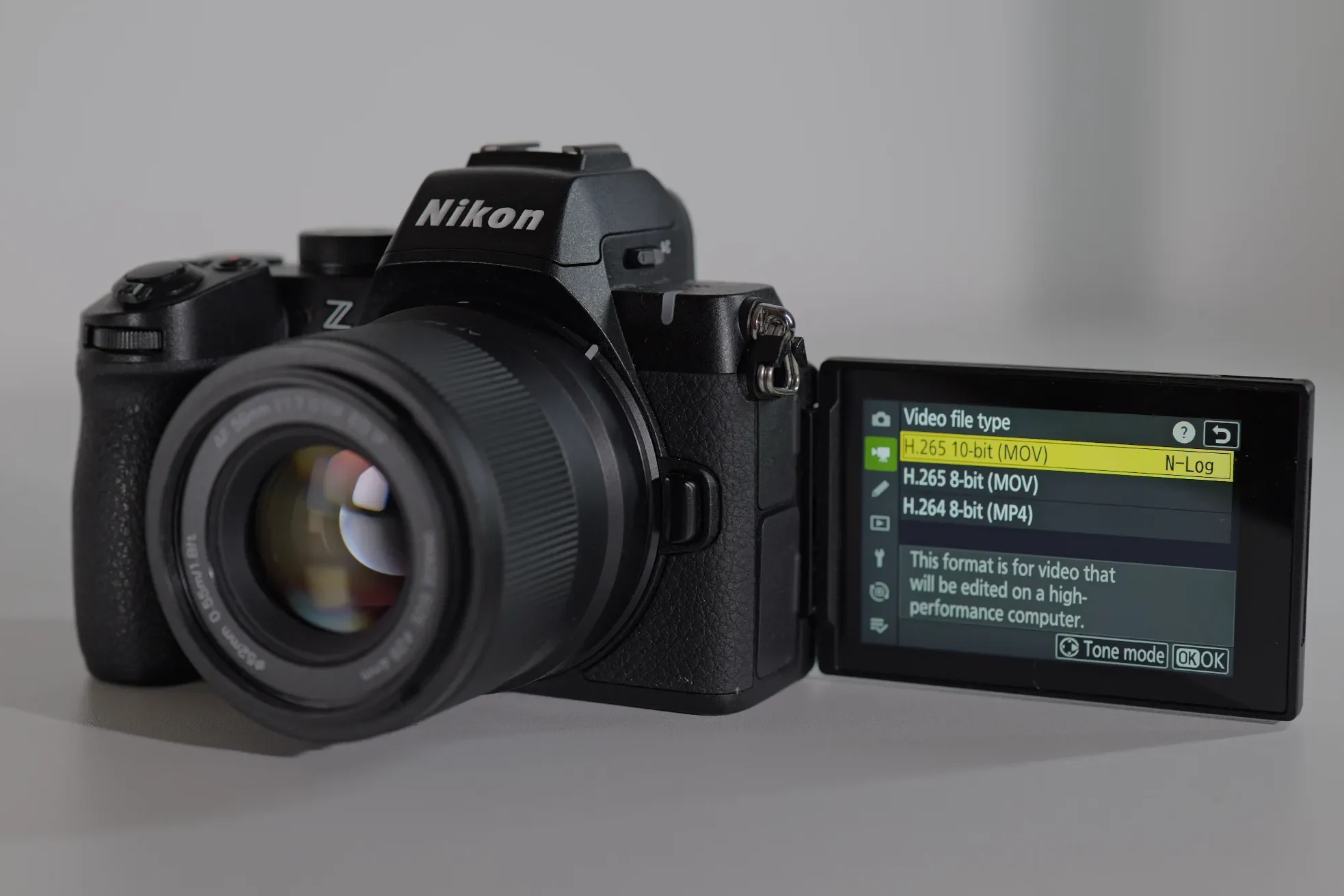
The Nikon Z50II was released in November 2025 as an upgrade to the original Z50, but also an upgrade to the Z30, Nikon’s vlogging/content creator style camera. From the Z50 it inherits the 20.9 sensor, the hybrid style body with the EVF but it also upgrades the vlogging features from the Z30. The new EXPEED 7 processor (the same as used in the Z9, Z8, Z6 III, and Z5II) is what differentiates this APS-C body from the previous generation as it greatly improves autofocus subject detection, allows for internal 10-bit 4:2:2 recording with N-Log and HLG (the Z50/Z30 were limited to 8-bit), supports 4K/60p (with a ~1.5× crop) and full-width 4K/30p oversampled from 5.6K, along with many, other improvements that will be mentioned throughout the article.
The Z50II also has additional buttons on the back as well as the top (having a very similar button layout as the full frame Nikon Z5II), while also being weather sealed, having USB-C full power delivery and UVC/UAC webcam support built in. It also adds a headphone jack for audio monitoring, keeps the very well placed stills/video switch on the PASM dial from the Z50 and adds an additional custom mode, inherited from the Z30. The downside of all of these additional hardware features is that it is heavier than its predecessors coming in at 550 grams (1.21lb) a 100 grams heavier than the Z50 and 145 grams of the super-light Z30.
PROS
CONS
|
WHAT MATTERS FOR CONTENT |
NIKON Z50II |
FUJIFILM X-S20 |
|---|---|---|
|
Stays in focus on your face while moving |
Yes, reliable |
Yes, in most cases reliable, can hunt |
|
Good in a dim bedroom setup |
Works better with lighting |
Backlight can be a problem for AF |
|
Overheating |
At 4K 60p |
At higher framerates and open gate |
|
In-body stabilization |
No IBIS, only digital |
Yes, IBIS + OIS (lens stabilization) |
|
Price (body only) |
$1,006 |
$1,499 (recent price increase > second hand deals) |
The talking-head test
It tracks the eyes and face well, it is very sticky and does not hunt. With native lenses the performance is better than on the third party lenses, more snappier, and it works well even with an adapted lenses. It is still not on the level of Sony or Canon, but you can generally be confident that the autofocus will not loose you. The focus tracking is also very sticky and holds on to the object you assign to it – this can be very useful for b-roll and filming object that are not specific to the AF modes. It has a front facing tally light, which is very useful and the 3 inch LCD is very bright.
It builds on many of features introduced in the Z30, Nikon’s first attempt at specialized vlogging/content creator camera:
- Fully articulating (vari-angle) responsive touch screen (the Z50 had only a tilting screen) that is slightly bigger (3.2″ vs the Z30’s 3.0″)
- Product Review mode, which is found in most of the second generation of vlogging cameras, in different iterations. This mode allows prioritizes autofocus on a product held up in the foreground over the presenter’s face, then switches back smoothly. Very handy for product reviews and other type of unboxing videos.
- Front tally/REC lamp + recording indicators — Z30 introduced a clear front tally light so solo creators know when recording is active. The Z50II keeps this and adds a red framing border on the LCD during recording.
- Video self-timer (2 or 10 seconds) is very useful for solo content creators – it allows you to position yourself, check the AF and framing, before recording starts.
- Skin softening feature – 3 strengths of skin softening for enhancing the smoothness of one’s skin (a feature mostly valued by the ladies)
Menu
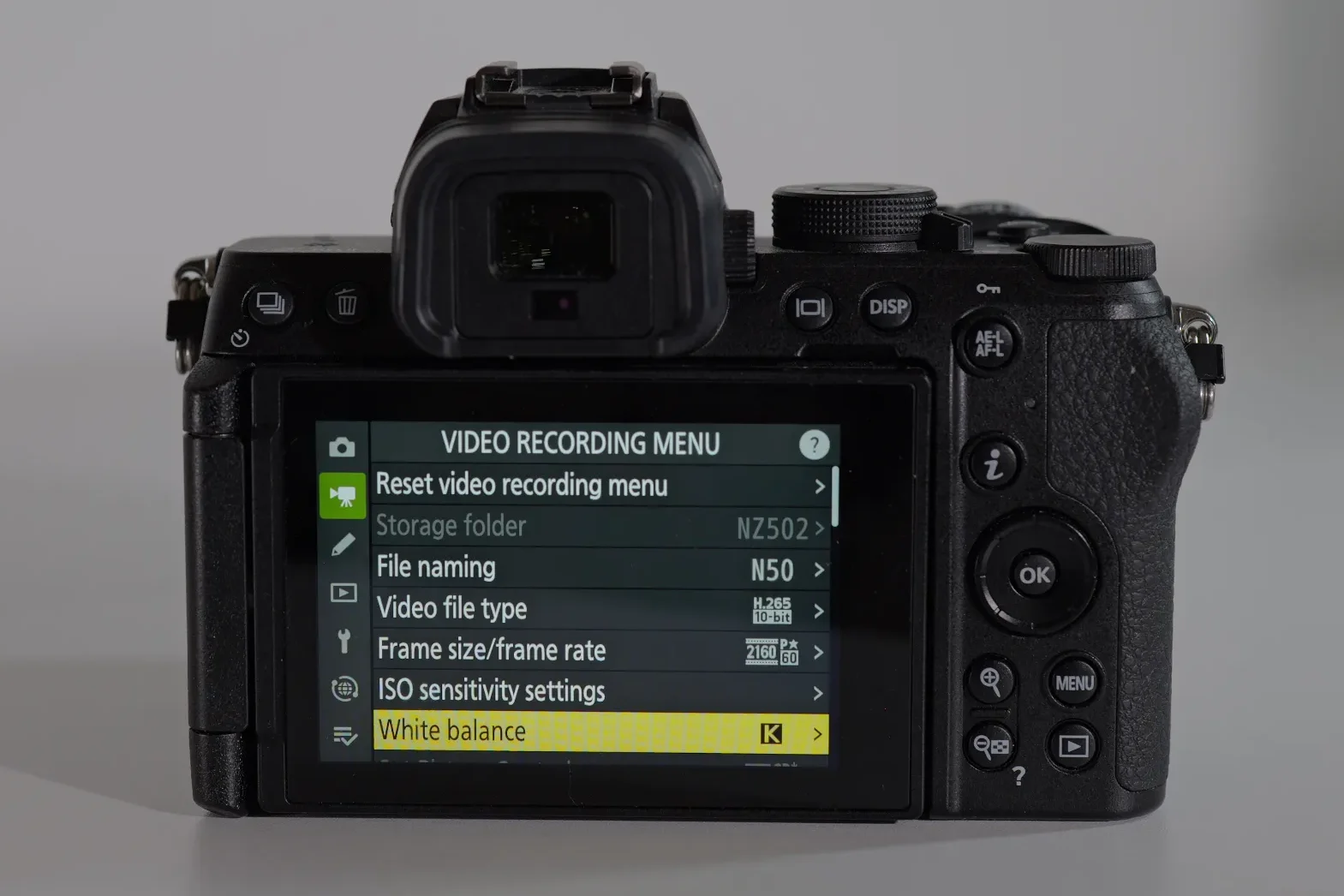
The Nikon menu is probably the most confusing of all the cameras that I own. Finding settings can be a challenge, as they are scattered in various menus where you would not think they would be at. Some settings, such as the View assist which changes your LCD screen menu and only allows to change certain setting (on by default) was a challenge to find, due to its position and the vague meaning of the feature – I literally had to see it in YouTube tutorial to find and switch it off (Menu > wrench > 28 down – Self-portrait mode ON/OFF).
It seems to me that Nikon did not implement the video setting in a clear way into the menu and assigned them in strange places – you might need a guide to find some of these setting or use AI search. I really hope that Nikon will reiterate the whole menu and make it more clear in its next models.
B-roll, handheld footage and vlogging
Here the lack of IBIS is evident and you have to use stabilizing techniques to get usable shots. Steady shots are not a problem and the standard digital stabilization can help you in getting steady footage. Vlogging on the go is non-usable – the footage comes out too shaky. Best to find a spot, use a tripod and shoot vlogs in static locations.
The Z50II has a dedicated picture control button easily accessible on the top plate for quickly changing your picture profiles (including the new options Flat Monochrome, Deep Tone Monochrome, and Rich Tone Portrait) and using custom Creator recipes. While this feature is not as developed as Fujifilm Film recipes or the Lumix LUTs, there is a growing number of creators that are developing and sharing custom picture profiles.
Overheating management and tests
I haven’t experienced much overheating when filming in standard 25/30 p. In long takes in 60p it can start to overheat, but generally it handles overheating well – it goes on for nearly 1 hour (56 minutes) before it shuts down (at room temperature). All my overheating tests were don’t in the summer at higher temperatures (compared to other reviewers) which could explain my worse test results.
With a dummy battery in 4k 24p SDR 10-bit it lasted for 1:39 minutes at 27C/80.6F then it stopped – the backside of the camera, the dummy battery and the SD card were all hot to the touch, and at 4K 60p N-log 10-bit it shut down at 45:51 seconds. I redid the dummy battery test in 4k 24p N-Log 10-bit at 27C and it lasted for 2:05 minutes (the official limit), then it stopped recording. The camera was still on and was hot to the touch.
The Nikon Z50II has no thermal management options as many other cameras do. It also doesn’t show a heat warning or have an overheating indicator as other cameras do – it just shut off suddenly. This is a big omission on Nikon’s part – did they forget to put it in the Z50II or being a budget APS-C entry model they just simply don’t care? I would like to see this fixed in there future models.
The red front tally lamp starts blinking when the battery indicator shows low battery – this can be misleading due to the unreliable battery indicator. It usually has more power left in it and you can expect 25-30 minutes of recording time.
Ergonomics, button placement and handling
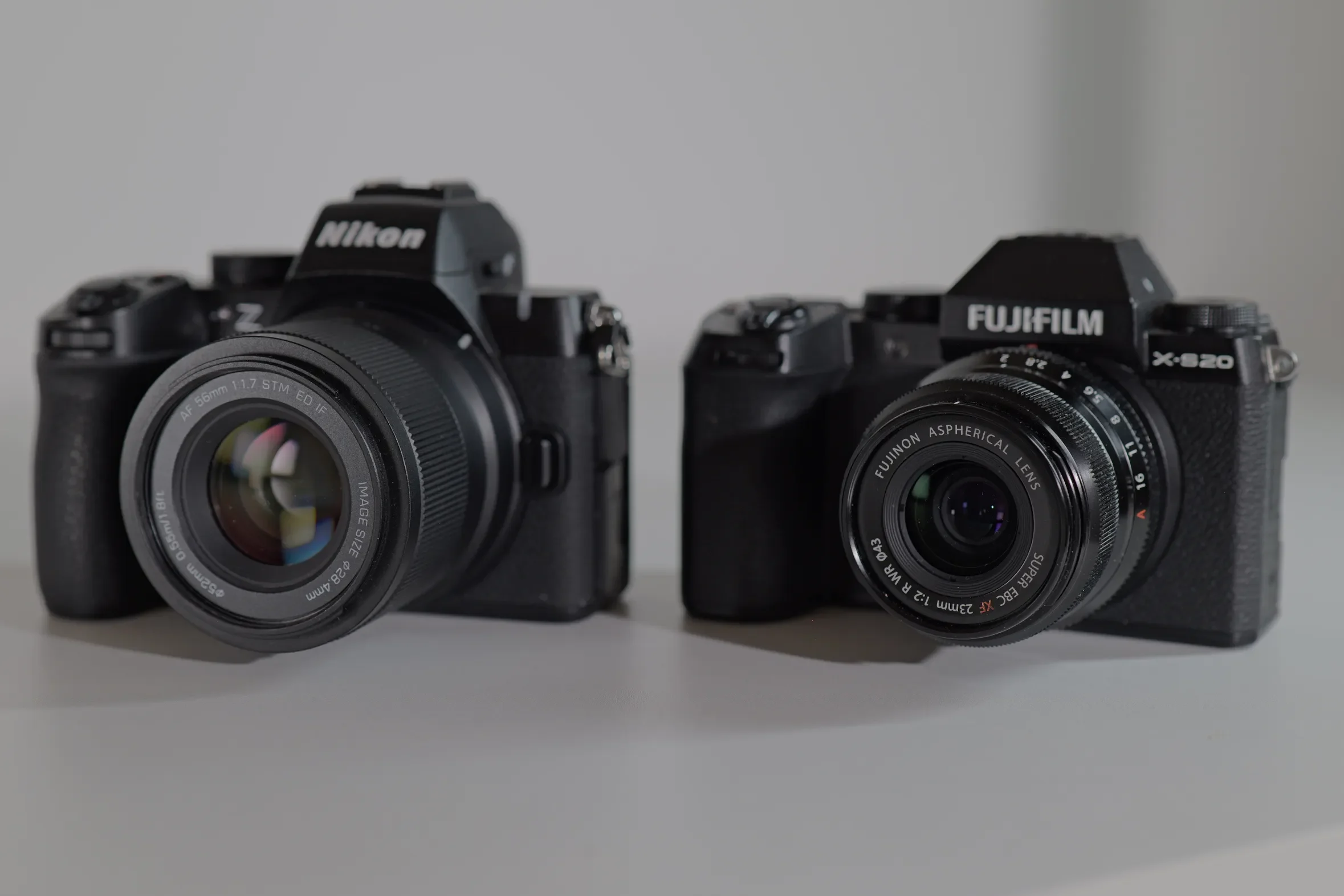
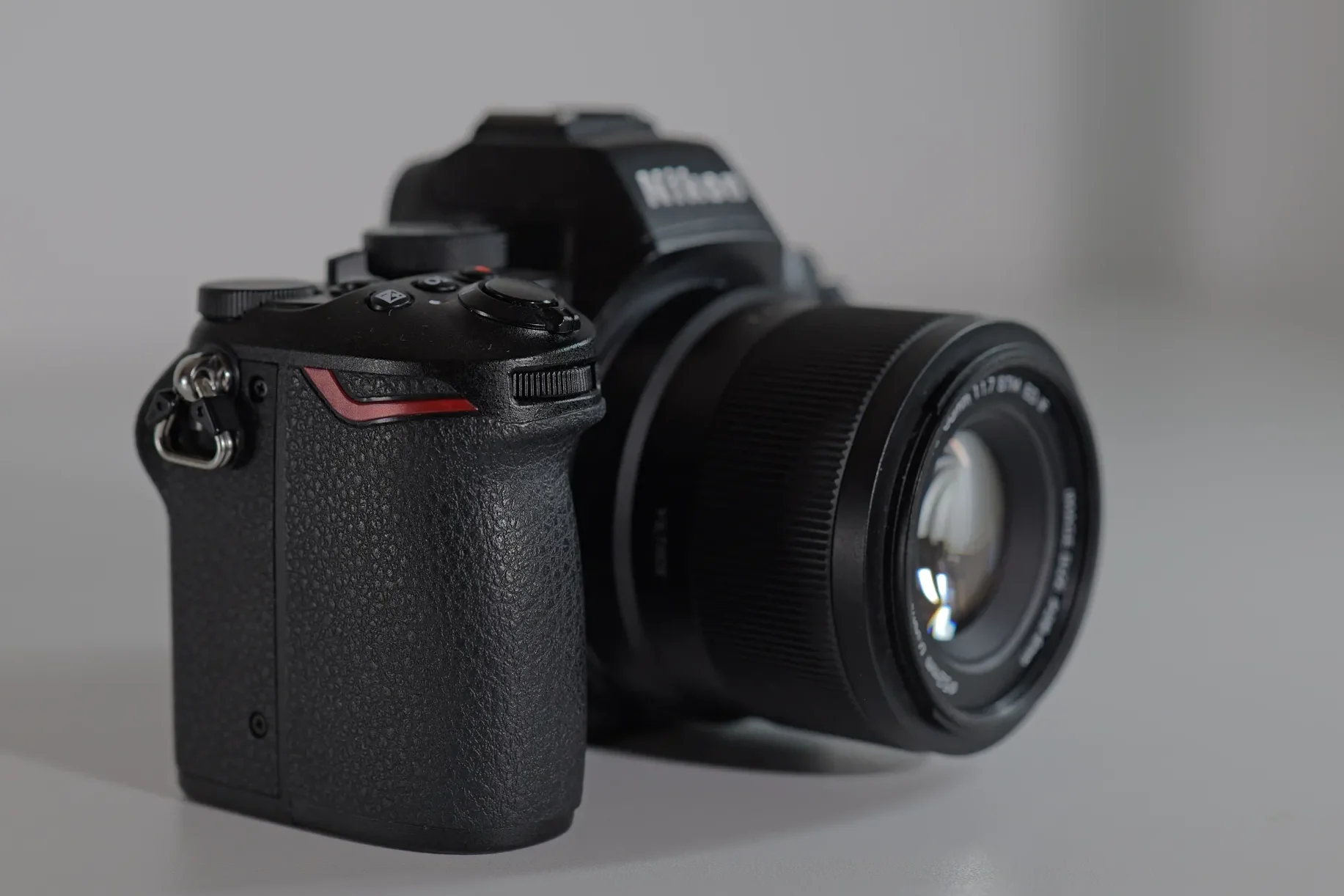
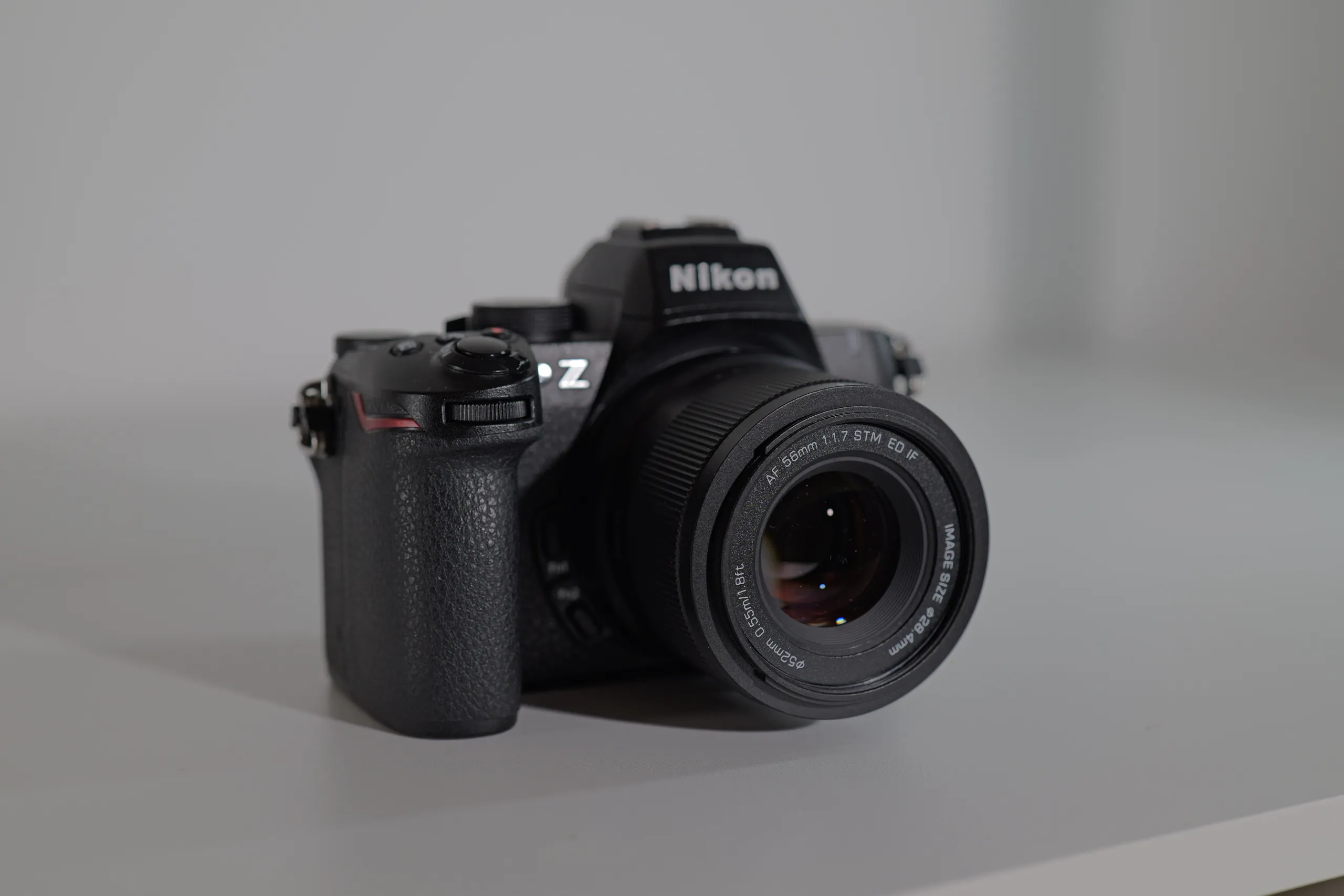
The Nikon Z50II has a classic hybrid camera body, with a nice grip and all the right buttons and dials that you would expect in the usual Nikon places. For my hands, the grip is a little too small and my pinky tends to fall off – a accessory plate fixed this issue for me (it does contribute to the overall weight). For an APS-C, it is on the heavier side and it weighs slightly more that my Fuji X-S20 (495 g (1.09 lb) vs 491 g (1.08 lb) which has IBIS and a much larger battery (NP-W235).
The button selection is great, more than enough to have every setting at the press of a button and to limit your diving into the menus to the minimum (as the Nikon’s menus are a maze to get lost in). I do appreciate the placement of the 3 buttons (Video recording, ISO and exposure compensation by default) right behind the shutter button. Regarding the IOS button, it only works in manual mode, which is a thing that frustrates me and Nikon refuses to fix.
As I mentioned in the cons section, the two function buttons (Fn1, Fn2) are hard to press, being right next to the lens, and stiff, at least in my camera, limiting their use for me. The Z50II also does not have a joystick, but it does have a stills/video switch, which is instantaneous and very useful for quick switches between photo and video modes.
Jumping on the film simulations ban wagon, it also has a dedicated picture control button (same as the Z5II) that allows you to change to various presets that you can select – Nikon still needs to work on their picture profiles as they are nowhere near the level of Fujifilm’s film simulations or Lumix’s LUTS.
Compatibility and firmware notes
Full firmware history and tested lens and adapter notes for the Nikon Z50II — updated as new firmware ships.
OPEN COMPATIBILITY ENTRY →Recommended accessories
SMALLRIG Z50 II Base Plate for Nikon – for adding length to the grip + quick release for Arca -Swiss
SMALLRIG Z50 II Cage for Nikon Z50 II – if you need a cage for attachments (handles, microphones, lights), quick release for Arca -Swiss plate
Extended Z50II Z50 II Eyecup Eyepiece Eye Cup Piece Viewfinder – very practical eyecup, more comfortable than the original, very useful for glass wearers
K&F CONCEPT 1600mAh EN-EL25 Battery 2-Pack EN-EL25A Battery and Dual LCD Battery Charger – extra batteries and dual battery charger
Final verdict
If you’re a beginner or enthusiast content creator who needs reliable face-tracking, good out of the camera colors and is eager to try it as photo/video hybrid camera outside, the Nikon Z50II is a great option. It is a very versatile camera, as it offers hybrid features, such as the EVF and the pop-up flash, which other competitors in this category do not offer. If you would like to try out a bit of photography, besides the video content creation, and you are on a tight budget, this is the right camera for you as it delivers excellent video and photo features.
Its main flaws for me are its unreliable battery indicator and the bad stabilization options. Both are rendered moot in a studio talking head setting where the excellent autofocus and image quality will become evident. This camera is a great stepping stone into the Nikon ecosystem and if you plan on upgrading to full frame, you can use your existing lenses as they all share the Z-mount.
FAQ
Related content
-
Nikon Z50II review – is it a good content creator camera?
Read more: Nikon Z50II review – is it a good content creator camera?The Nikon Z50II was released in November 2025 as an upgrade to the original Z50, but also an upgrade to the Z30, Nikon’s vlogging/content creator style camera. From the Z50 it inherits the 20.9 sensor, the hybrid style body with the EVF but it also upgrades the vlogging features from the Z30. The new EXPEED…
-
The Nikon Z5 II started shipping
Read more: The Nikon Z5 II started shippingNikon has started shipping its newest full frame camera the Z5 II and is now available in most retail and online stores. With a competitive price of $1699/1899€ for body only, it is Nikon’s new entry level full frame camera that, depending on your region, is available in various bundles; with the 24-50mm f/4-6.3 kit…
-
Nikon Z5 II announced – the new entry level full frame go-to-camera
Read more: Nikon Z5 II announced – the new entry level full frame go-to-cameraAll rumors were correct and Nikon did announce today the new Z5 II, it’s most modern full frame “entry” level camera. Besides the announcement date, the leaked specs were also correct and we are getting a ZF in a Z5 body with the new processor. At a price of $1.699 (body only) it is not…